Tech in detail · The Data Rescue
The Data Rescue
Everything you see on this page – the original screens, the info, the roughly 34,000 messages, the demo – owes itself to a fairly casual idea in 2026. A big project was never the plan.
The Occasion
Really I just wanted two things: to see the Empire BBS login screen once more, and to prep the Amigas that had been sitting in the basement for about 30 years. Passing them on, yes; throwing them out was never an option. Why it grew into a whole website is over on About.
The Leaking Battery
Going through them, it mostly came down to one notorious culprit: the CMOS battery, which likes to leak in old Amigas and eat away at the board. The result was mixed. The Amiga 3000T got off with a black eye – its battery had stayed intact. The two Amiga 2000 machines weren't so lucky. Besides these, an Amiga 500 and a Commodore C128D were also waiting in the basement.
Disassemble, Clean, Read Out
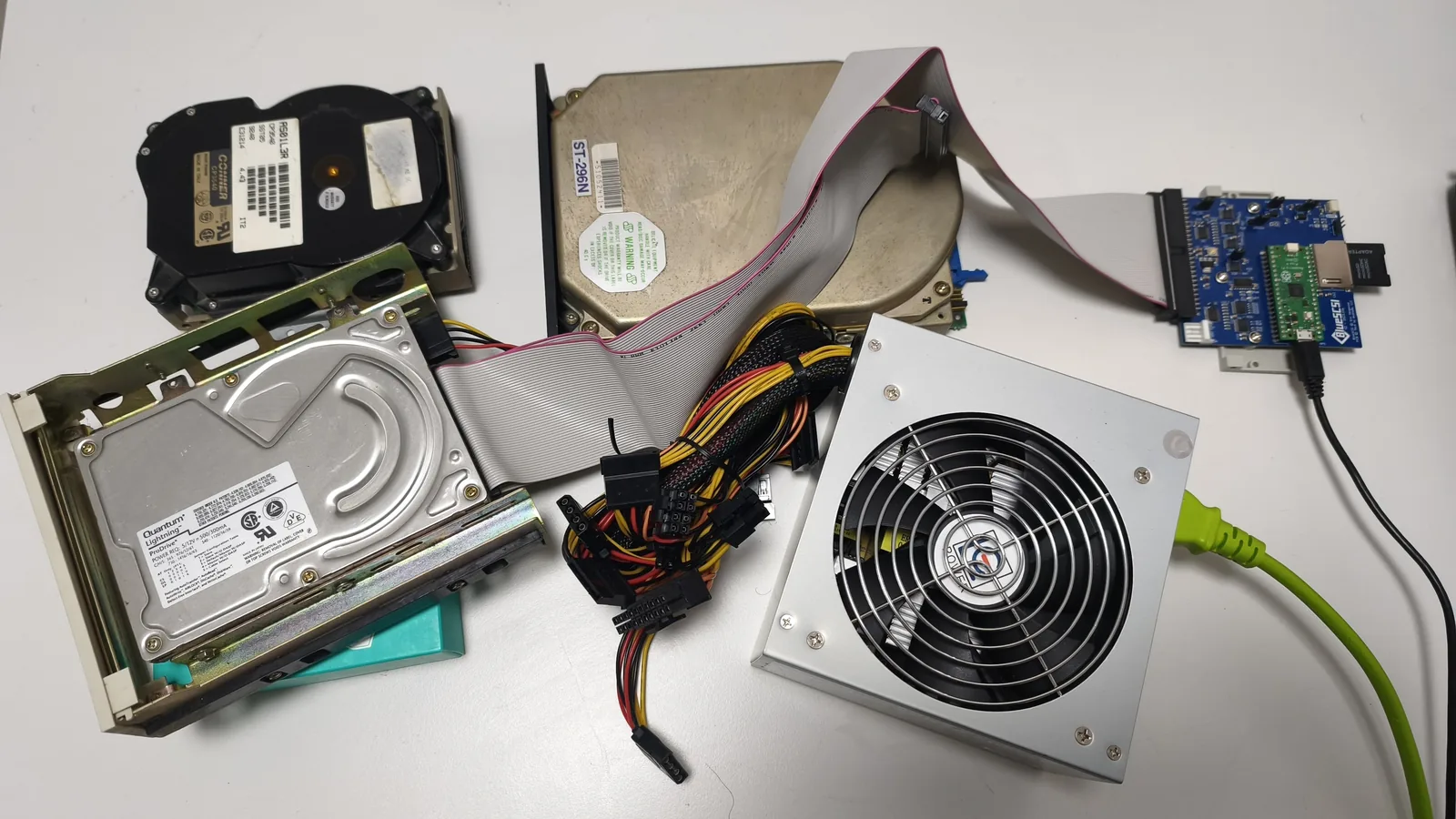
I fully disassembled the A3000T and cleaned it thoroughly. For the data I used BlueSCSI – a modern replacement that makes an old SCSI drive accessible via an SD card. That let me back up the hard drive contents without putting any more strain on the aging original mechanics.
Three Drives, Three Jobs
The system was spread across three SCSI drives. Each had its own role, and each came from a different era.
- Conner CP3540544 MB · 3.5″ · SCSI-2 · 4,500 rpm · 12 ms · 1992It held the mailbox's main system. Its label carries the date code 9240, meaning week 40 of 1992.
- Seagate ST-296N85 MB · 5.25″ · SCSI-1 · 3,600 rpm · 28 ms · late 1980sBy far the oldest of the three, still in the big 5.25-inch format. It held scattered data.
- Quantum Lightning365 to 731 MB · 3.5″ · SCSI-2 · 4,500 rpm · 11 ms · 1994 onThe youngest of the three. It carried the mailbox's files, that is the upload and download area.
A good five years of development separate the oldest drive from the youngest. Seek time shows it most clearly: the Seagate needed 28 milliseconds, the Quantum only 11. And on capacity, the gap between 85 MB and half a gigabyte was a world apart.
The Seagate: Louder Than Expected
On the Seagate's first start it sounded like the read head was about to jump at me. The whole table vibrated. After about fifteen seconds it had spun up and the LED on the BlueSCSI started blinking. Three minutes later it went dark again. Was that really all?
I eagerly opened the image on the SD card. The entire disk had been read. At 85 MB, that goes quickly.
The Conner: Twelve Minutes for the Core
The Conner came next. It took around twelve minutes. That data read fine afterwards too. With it, the most important part was saved: the mailbox's complete running system.
The Quantum: The One That Got Away
With the Quantum I had a bad feeling from the start. It was the youngest of the three drives. But Quantum was not considered high end back then, those things tended to fail.
And so it went. Barely anything could be read, not even after several attempts. Bearable, since it only held the programs from the upload and download area. The messages and the system itself were long since safe.
There is a known trick: you open the drive and replace a plastic part so the read head comes free again. So far I have not dared.
Brought Back to Life
The images from the SD card moved over to the Windows machine. After some fiddling they opened in WinUAE, an Amiga emulator. Unbelievable: the whole system was there.
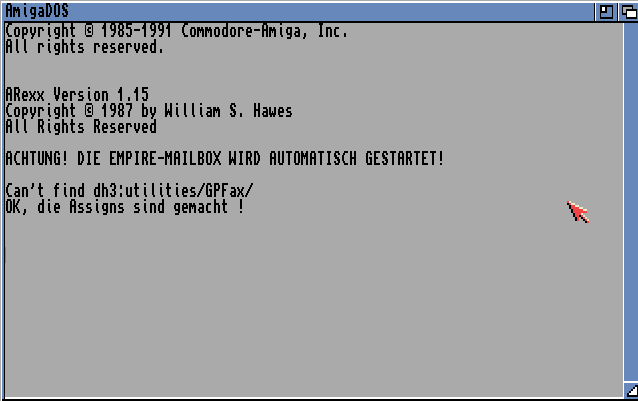
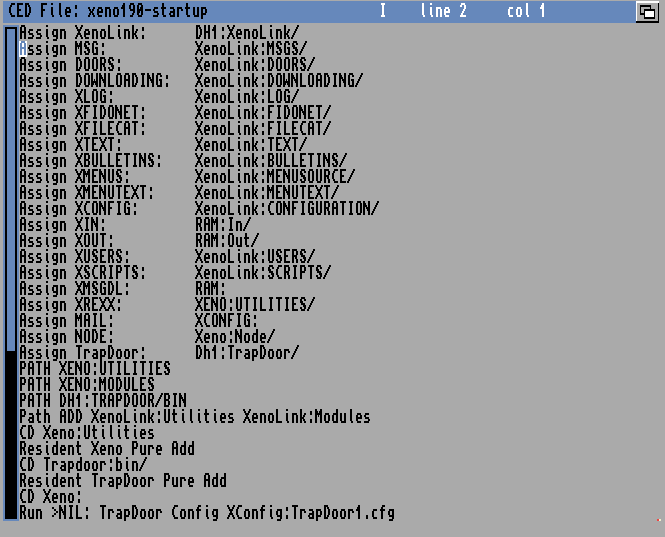
I could watch the Amiga set up its assigns one after another. Then it appeared on screen: ACHTUNG! DIE EMPIRE-MAILBOX WIRD AUTOMATISCH GESTARTET! Attention, the Empire mailbox is starting automatically.
Behind it sits a plain startup script. It sets up the names the mailbox uses to find its directories, then launches the mailer.
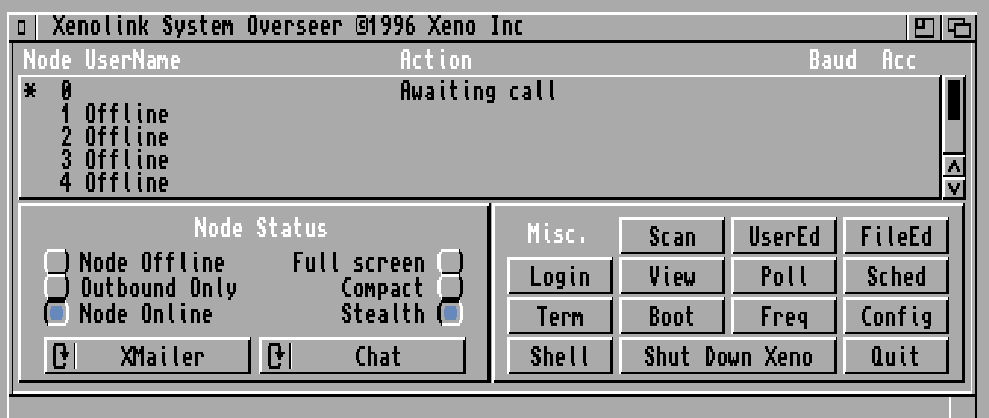
A few seconds later the System Overseer of Xenolink was up, the monitoring display of the running mailbox. It showed what it had shown for thirty years: Awaiting call.
Then WilhelmTEL spoke up and grumbled that it could not find the ISDN-Master. Fair enough, the card was no longer in the machine.
After that I copied all the data onto the Windows system. From there I could read it out with the help of an AI, reconstruct the information, and rebuild parts of it. The login screen I had only wanted a quick look at was back.
A Wish Becomes a Time Capsule
This rescue is the source of everything on this site: the authentic screens, the roughly 34,000 messages from its operating years, and the browser-based demo. Screenshots of the Amiga revived in WinUAE are under Impressions.